DSoundman
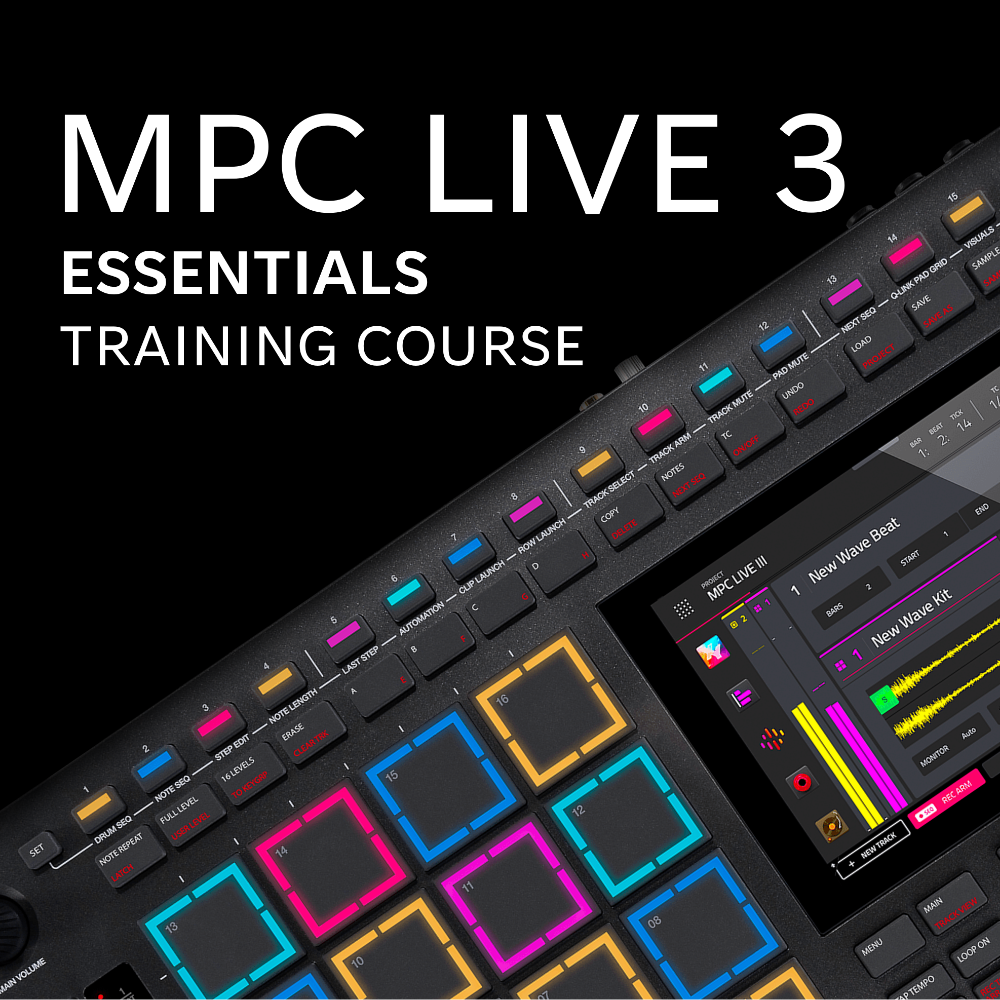
MPC Live 3 Essentials - Video Training Course
MPC Live 3 Essentials - Video Training Course
Couldn't load pickup availability
Master Your MPC From Scratch -
And Start Finishing Full Beats With Confidence!
A complete beginner-friendly course designed to help you finally understand the MPC workflow and turn your ideas into fully finished tracks.
🚨 WHO THIS COURSE IS FOR
If you’ve ever felt like:
- You have an MPC but don’t know where to start
- You can make loops but struggle to finish full beats
- The workflow feels confusing or overwhelming
- You’ve watched tutorials but nothing really sticks
👉 This course was built for you.
Filmed on the MPC Live 3,
but applicable to any MPC running OS 3.7 or higher!
🎯 WHAT YOU’LL BE ABLE TO DO
By the end of this course, you’ll be able to:
- Confidently navigate your MPC without guessing
- Record, arrange, and finish complete beats
- Build a solid workflow that actually makes sense
- Layer sounds to create full, professional-quality tracks
- Export your music and share it with confidence
🧠 WHAT MAKES THIS COURSE DIFFERENT
Most MPC tutorials are random.
This isn’t.
This course is designed as a step-by-step system that builds your skills from the ground up so everything connects and actually makes sense.
📦 WHAT’S INCLUDED
- ✅ 70+ step-by-step lessons (no fluff, no filler)
- ✅ 5+ hours of high-quality video training
- ✅ Structured modules so you can follow start-to-finish or jump around
- ✅ Real beat-making examples (not just theory)
- ✅ Multiple 4K camera angles for clear instruction
- ✅ Progress tracking so you stay on track
🎹 WHAT YOU’LL LEARN
Inside the course, you’ll learn:
- The complete MPC workflow (the missing piece for most users)
- How to record beats from scratch
- How to arrange and structure beats AND full tracks
- How to use sampling, sequences, and clip launching
- How to save and export your music
🚀 THE RESULT
Instead of feeling stuck or overwhelmed…
You’ll have a clear, repeatable workflow that allows you to:
👉 Start beats
👉 Build them out
👉 And actually finish them
🎬 COURSE BREAKDOWN
This course includes 70+ lessons covering:
- MPC fundamentals and navigation
- Recording and editing beats
- Live looping, mutes, and clip triggering
- Sampling and chopping
- Arrangement and song structure
- Effects, mixing, and exporting
- Advanced features like clips, step sequencing, and automation
👉 Everything you need to go from beginner → confident producer
💡 IMPORTANT NOTE (ACCESS)
This purchase gives you 1 full year of access to the course.
- No auto-renewals
- No surprise charges
30 days before your access expires, you’ll receive an email with the option to extend at a 50% discount if you choose to without losing your progress.
FREQUENTLY ASKED QUESTIONS
Q: Is this beginner-friendly?
Yes! This course is designed specifically for beginners.
Q: Can I use this course if I don't have the MPC Live 3?
Yes! This course works for any MPC running OS 3.7 or higher. Note: Some lessons do leverage components included in Akai's pro pack (https://www.akaipro.com/mpcpropack/) that is included with the MPC Live 3, but an add-on for other MPCs.
Q: Do I need prior experience?
No experience needed!
Q: Will this course auto-renew at the end of my year?
No! 30 days before your access is set to expire, you’ll receive an email with the option to extend at a 50% discount if you choose to without losing your progress!
SAMPLE VIDEOS FROM THIS COURSE:
Sound Mode Overview and Settings:
Setting the Bars and Tempo:
Live Sequence Triggering:
FULL COURSE TABLE OF CONTENTS:
- Introduction
- Course Introduction
- General Overview and Navigation
- Getting Connected
- Quick Start
- Creating a New Project
- Project vs Sequence vs Track
- Setting the Bars and Tempo
- Changing Time Signatures
- Turning Loop On and Off
- Using the Transport Controls
- Track Types and Settings
- Creating a New Track
- Timing Correction Settings
- Recording a Quick Drum Beat
- Modifying the Beat with Grid View
- Accessing the Channel Strips
- Adjusting Track Levels
- Adding Track Effects
- Changing the Input and Output Settings for a Track
- Saving the Project
- Exporting the Project Audio Mixdown
- Main Mode Essentials
- Toolbar and shortcuts
- Sequence Edit
- Track Edit
- Arrangement Tab
- Toolbar and shortcuts
- Working with Track Types
- Drum Tracks
- Keygroup Tracks
- Plugin Tracks
- MIDI and CV Tracks
- Audio Tracks
- Buses
- Drum Tracks
- Working With Sounds
- Sound Mode Overview and Settings
- Selecting and Playing Sounds
- Editing Plugin Instrument Settings
- Saving and Editing Favorite Presets
- Creating and Editing Setlists
- Sound Mode Overview and Settings
- Arrange Mode Essentials
- Arrange View Overview
- Recording in Arrange Mode
- Editing in Arrange Mode
- Arrange View Overview
- Track View Essentials
- Overview and Quick Functions
- Arming Multiple Tracks to Record
- Overview and Quick Functions
- Key Ranges Mode
- Overview, Settings, and Live Use Cases
- Setting the Ranges for each Track
- Quickly Setting Drum Ranges with Drum Split
- Overview, Settings, and Live Use Cases
- Channel Mixer Essentials
- Overview and Settings
- Pad Mixer Overview
- Overview and Settings
- Mute Mode Essentials
- Setting up a Beat to Use with Mute Mode
- Overview and Settings
- Event vs Audio Mutes
- Setting Track Mutes
- Setting Pad Mutes
- Recording Mute Automation
- Setting up a Beat to Use with Mute Mode
- Step Sequencer Essentials
- Overview and Settings
- Adding and Removing Steps
- Adjusting Step Velocities
- Overview and Settings
- Working with Clips
- Overview and Clips vs Arrangements
- Recording Clips
- Launching Clips and Rows of Clips
- Recording an Arrangement with Clips
- Overview and Clips vs Arrangements
- Sampler Essentials
- Overview and Sampler Setup
- Sampling a Sound
- Editing the Sample
- Chopping the Sample and Assigning to Pads
- Loading a Sample from the Library
- Overview and Sampler Setup
- Recording a Beat with Multiple Sequences
- Recording the Initial Beat
- Duplicating and Modifying the Sequence
- Saving the Project
- Recording the Initial Beat
- Next Sequence Mode Essentials
- Overview, Settings, and Live Use Cases
- Live Sequence Triggering
- Overview, Settings, and Live Use Cases
- Song Mode Essentials
- Overview and Settings
- Assembling Sequences into a Song
- Converting the Song to a Final Sequence
- Exporting the Song Audio Mixdown
- Overview and Settings
- Conclusion
- Bonus Lesson 1: Q-Link Status and Parameter Customization